Securing Microsoft 365: The Key Settings for SMEs
Learn how to secure Microsoft 365 and protect your SME from costly cyberattacks with MFA, Conditional Access and smart policies.
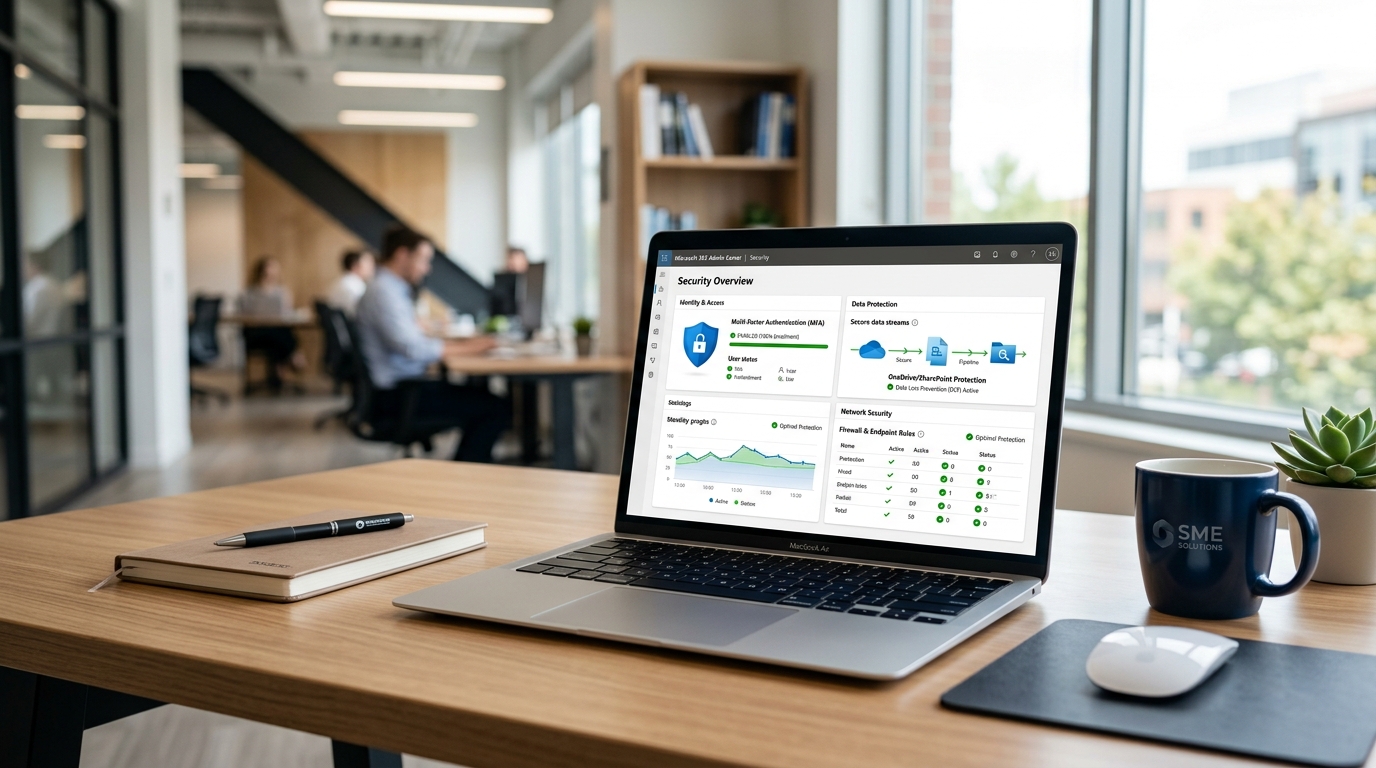
Default setups as a risk: Why you have to harden your Microsoft 365 yourself
Microsoft 365 is the central platform for collaboration in modern companies. After setup, the system is usually ready to use straight away, which at first glance seems like an advantage in the hectic day-to-day work of small and medium-sized enterprises. But this is exactly where the danger lies: out-of-the-box systems are configured by default for maximum usability and convenience, not for maximum security. Microsoft gives you a solid technical infrastructure, but leaves the concrete protection and hardening of the tenant entirely to your own responsibility.
Anyone who leaves the default settings unchanged leaves critical entry points open for cybercriminals. An unsecured tenant practically invites attackers to steal sensitive company data or inject malware. Current figures from the Bitkom study Wirtschaftsschutz 2025 show just how existentially threatening this danger can be for German SMEs. According to this survey, an enormous 87 percent of the companies polled were affected by data theft, espionage or sabotage in the past year. The total damage to the German economy rose to a record 289.2 billion euros, of which 202.4 billion euros alone is directly attributable to cyberattacks. Once an attacker has access to your email system, a dangerous chain of infection looms, as is often seen with ransomware in the SME sector.
Why standard defaults don't replace real hardening
Many managing directors and IT leaders in the SME sector mistakenly assume that Microsoft's built-in security features are already enough to cover all risks. But Microsoft's so-called security defaults only offer a very basic level of protection that often doesn't do justice to flexible business scenarios. As soon as you need complex access rules or have to define certain exceptions, the standard defaults reach their limits. Real hardening requires the targeted configuration of policies that precisely match your company's processes and security requirements.
- Outdated protocols: legacy authentication is often still active and allows attackers to completely bypass modern safeguards such as multi-factor authentication (MFA).
- Overly generous sharing: external sharing for documents and SharePoint sites is configured very permissively in the default state and encourages unintentional data leakage.
- Missing logging: audit logs are partly recorded, but their retention period is extremely short by default, which makes subsequent forensic analysis after an incident almost impossible.
- Weak phishing filters: Microsoft Defender's preconfigured spam and phishing filters do block known threats, but without additional manual hardening they offer little protection against targeted phishing campaigns.
These weaknesses clearly show that IT security is not a static state but requires continuous monitoring and adjustment. For medium-sized businesses, it is often barely feasible in terms of staff and expertise to implement this hardening and permanent monitoring on their own. A professional managed IT service can provide relief here by configuring your tenant according to best practices from the start and securing it continuously. In addition, a specialized cybersecurity service for SMEs ensures proactive defense around the clock, so that security gaps can't be exploited in the first place.
Multi-factor authentication (MFA): The essential protection for your accounts
A simple password is nowhere near enough anymore to protect your company data in Microsoft 365 from unauthorized access. Cybercriminals use sophisticated phishing methods, automated password spraying attacks and data leaks on third-party platforms to obtain credentials. Once an attacker has captured your username and password, your entire M365 account is wide open to them. For managing directors and IT leaders in German SMEs, protecting identities is therefore the most important line of defense.
This is where multi-factor authentication (MFA) comes in. Microsoft's own security data impressively demonstrates the effectiveness of this tool: more than 99.9% of compromised accounts had no MFA enabled[1]. Complete activation of identity verification closes almost all entry points for automated identity theft. If you have your infrastructure secured as part of services like managed IT, enforcing a consistent MFA policy is therefore one of the very first standard measures.
Authenticator apps versus insecure SMS methods
MFA, however, is not all the same. Many companies still rely on sending one-time codes via SMS. This method is better than no second factor at all, but in modern security architectures it is considered outdated and insecure. Attackers can intercept SMS messages through so-called SIM swapping or set up targeted phishing pages that request the SMS code in real time. Safer alternatives are dedicated authenticator apps such as Microsoft Authenticator or hardware-based FIDO2 security keys. In addition, continuous security awareness protects your team from falling for social engineering tricks.
- App-based approval (e.g. Microsoft Authenticator): this method is very secure and convenient. It protects against accidental approvals through push notifications and by requesting a two-digit number on the screen.
- FIDO2 security keys: these physical USB sticks or NFC tokens offer the highest protection against phishing attacks, because the sign-in is tied to the physical presence of the key.
- SMS and phone calls: these offer only a low barrier against targeted attacks, but should be used as a temporary interim solution if using an app isn't possible.
Securing all administrative accounts as the top priority
You need to pay particular attention to the administrative accounts in your Microsoft 365 tenant. A global administrator has unrestricted access to your entire cloud environment, all mailboxes and all company data. If such an account is compromised, the consequences are devastating. So the rule is: for all administrators, MFA must be mandatory from the very first second and without any exception. You achieve seamless monitoring and continuous hardening of your accounts best with professional security services such as cybersecurity from CAVRIX, which monitors your IT environment around the clock.
Conditional Access: Intelligent access control instead of rigid blocks
Conventional passwords are no longer nearly enough to protect your company data in today's everyday threat landscape. Microsoft analyses repeatedly show that over 99.9% of successfully compromised accounts have no active multi-factor protection (MFA)[2]. But static MFA prompts alone can disrupt your teams in day-to-day work or be bypassed if configured incorrectly. This is where Conditional Access comes in: it acts like an intelligent, digital gatekeeper. Instead of allowing access across the board or bluntly blocking it, Conditional Access evaluates every single login attempt in real time against predefined criteria and grants access only under secure conditions.
How Conditional Access works in everyday SME life
In your employees' everyday work, this process runs almost invisibly in the background. For example, when a team member signs in from the office in Germany using a company-managed laptop, the login happens directly and without additional hurdles. But if the context changes, the system adapts flexibly. If the same person signs in from a private device or from an unusual holiday country, the system automatically requires additional verification or blocks access entirely. This effectively protects your company from malware and unauthorized access without unnecessarily restricting your employees' daily productivity.
- Geoblocking for unusual regions: block sign-in attempts from countries where your employees are never active on business. If your team only works in Germany and Western Europe, logins from Asia or other distant regions should be blocked by default.
- Access only for verified devices (managed devices): allow direct access to sensitive company data such as SharePoint or internal systems only for devices registered and monitored by your IT. Unknown private devices have to stay out or get only heavily restricted read access.
- Risk-based MFA enforcement: use the intelligent signals of Microsoft Entra ID. If the system detects unusual sign-in behavior (such as an impossible travel speed between two logins), renewed confirmation via the authenticator app is mandatory.
For managing directors in German SMEs in particular, securing identities and cloud services is no longer an optional project. In the event of security incidents, not only financial damage looms but, under certain circumstances, personal liability of management as well. Conditional Access policies form the foundation of a modern zero-trust strategy and ensure that your company data is optimally protected even when working remotely.
Best practices for setting up your first policies
Introducing Conditional Access requires care. If you enable policies carelessly, you run the risk of locking yourself and your entire workforce out. Always create a so-called emergency account (break-glass account) that is excluded from the policies and protected with an extremely secure, physically stored password. You should also test new rules first in report-only mode. That way you can see exactly in the logs what impact the policy would have had on your employees before you finally arm it.
If, in the hectic day-to-day of an SME, you lack the time or the in-depth expertise for ongoing configuration, professional IT partners can help. With a service like managed IT or a comprehensive cybersecurity solution from CAVRIX, you outsource these complex tasks to experts. This ensures seamless monitoring of your Microsoft environment and gives you the certainty that your security policies are always state of the art and reliably meet legal requirements.
Enabling audit logs: Keep full control over your tenant
In many standard Microsoft 365 setups, the audit logs are enabled, but their configuration often isn't enough to protect your company effectively. When attackers penetrate your tenant, you notice it, according to security studies such as the IBM Cost of a Data Breach Report, only after an average of 194 days[3]. The problem with this: in most standard plans, Microsoft 365 stores the default audit logs for only 180 days[4]. In concrete terms, this means that important digital traces are already automatically deleted before you even notice the breach.
IT forensics and compliance: Why every second counts
The German Federal Office for Information Security (BSI) recommends seamless logging of all administrative activities and critical system events. Without this data, a subsequent damage analysis (IT forensics) is impossible in an emergency. You then can't determine which data was leaked, nor which accounts the attackers used to get in. This also has tangible consequences for your insurance coverage: if you want to claim financial damages after an incident, your cyber insurer checks very carefully whether you have met your duty of care and provided sufficient logs.
Adjust and monitor retention periods manually
To prevent essential evidence from being deleted, you have to adjust the default retention policies for your audit logs manually in the Microsoft Purview compliance portal[4]. Depending on licensing, you can extend the retention for important logs to one year or longer. But since continuous monitoring and hardening of a tenant costs a lot of time, many medium-sized companies outsource these tasks. Professional support through services like managed IT ensures that your cloud infrastructure stays securely configured for the long term.
- Activate the Unified Audit Log (UAL) immediately after setting up the tenant.
- Set up automatic alerts for the assignment of privileged admin roles.
- Alerting when new mailbox forwarding rules are created, as these are often used for espionage.
- Monitoring for unusual mass downloads or the bulk deletion of documents in SharePoint.
- Real-time alerts for logins from unusual countries or IP address ranges.
With these targeted alerting rules, you turn passive data logs into an active early warning system for your SME. As soon as unusual activity is registered, your IT leaders can intervene immediately to prevent worse. Such proactive monitoring is ideally mapped as part of a comprehensive cybersecurity strategy that fends off attacks before they can cause damage.
Email hardening: How to protect your domain from phishing and spoofing
Emails are the number one entry point for ransomware in the SME sector. After setting up Microsoft 365, many companies rely on the standard configuration, but this leaves critical entry points open. Without additional protection, criminals can send emails in the name of your own domain to deceive employees or customers. With professional cybersecurity and the targeted hardening of your email infrastructure, you effectively prevent this so-called spoofing.
The German Federal Office for Information Security (BSI) strongly recommends implementing three established security standards to prove the authenticity of your emails beyond doubt. As a managing director or IT leader, you have to ensure that these technical protocols are flawlessly stored in your domain's Domain Name System (DNS) to avoid liability risks and business interruptions. These standards mesh together like gears:
- Sender Policy Framework (SPF): this protocol defines which specific servers are authorized to send emails in the name of your SME domain, so that unauthorized sources are detected immediately.
- DomainKeys Identified Mail (DKIM): DKIM adds an invisible, cryptographic signature to every outgoing message that serves as a digital stamp and rules out tampering with the email in transit.
- Domain-based Message Authentication, Reporting and Conformance (DMARC): DMARC builds on the results of SPF and DKIM and gives receiving servers a clear instruction on how to handle forged emails.
Arming DMARC policies step by step
A common mistake when implementing DMARC is immediately activating the strictest policy. If you set DMARC directly to reject mode, you risk legitimate messages such as invoices from third-party providers or newsletters being blocked as well. The BSI therefore recommends a controlled approach in three phases. First you start with the policy p=none to collect reports on the sending sources used. After cleaning up all legitimate sources, you switch to p=quarantine, which lands suspicious emails in the spam folder. Only in the final step do you activate p=reject to reject unauthorized emails entirely.
Built-in phishing protection in Microsoft Defender
In addition to hardening the domain in DNS, protection on the recipient side is crucial. In Microsoft 365 Defender, you should tighten the anti-phishing policies manually, because the default settings are often too lenient. Enable advanced impersonation protection so that attackers can't impersonate the names of your managing directors or key people. Automated IT management like our managed IT ensures that such policies are continuously monitored, updated and adapted to new threat situations, without your internal team losing valuable time.
Secure sharing in SharePoint and OneDrive: Prevent data leakage precisely
The uncontrolled sharing of files is one of the most underestimated security risks in modern everyday work. A recent analysis shows that 68 percent of all IT decision-makers rate anonymous sharing links in SharePoint as a serious security risk, while 76 percent fear that artificial intelligence surfaces sensitive internal data that was unknowingly shared with everyone[5]. When employees naively share documents with external partners via unlimited, anonymous links, you immediately lose control over who reads, forwards or copies these business secrets.
The danger of anonymous links and how to defuse them
By default, the factory settings of Microsoft 365 often allow files to be shared with the "Anyone with the link" option. Such a link requires no sign-in, no verification and has no expiration date. If this link falls into the wrong hands or is indexed by search engines, your sensitive data is publicly available online. To consistently prevent this data leakage in German SMEs, you should configure the global sharing settings in the SharePoint admin center restrictively. A structured governance and GRC concept helps you here, which you can seamlessly integrate into your IT structure via professional compliance services from CAVRIX.
- Restrict default sharing: change the default link type from "Anyone with the link" to "People in your organization" or "People with existing access".
- Enforce expiration periods: specify that external sharing links automatically lose their validity after a certain time, for example after 14 or 30 days.
- Two-step verification: only allow sharing with external partners if they have to identify themselves with a time-limited one-time code.
- Enable download blocking: use the option to completely block the downloading of shared documents for external parties, so that files can only be read in the browser.
Regular audits: Keep sovereignty over your data
Setting up secure policies once isn't enough in the long term. Because shares accumulate over time, regular review of all active shares is essential. Via the Microsoft 365 Security Center or by implementing cybersecurity concepts from CAVRIX, you can set up automated audits that track down unused guest access and orphaned sharing links. This protects your company from unintentional data leaks and at the same time ensures that legal data protection requirements are met. This is a central building block for your overall IT security and the resilience of your operations.
Frequently asked questions
How can I secure Microsoft 365 quickly?
The first and most important step is enabling multi-factor authentication (MFA) for all accounts. According to Microsoft, MFA blocks over 99.9% of account hacking attempts. In addition, you should restrict the default sharing settings in SharePoint and enable audit logs to notice unauthorized access early.
What do the security features of Microsoft 365 cost?
Basic security functions such as standard MFA are included at no extra charge in almost all plans. Advanced control options such as Conditional Access require licenses like Microsoft 365 Business Premium or Entra ID P1. This investment is worthwhile to protect your sensitive company data flexibly and regardless of location.
How does Conditional Access protect me when working remotely?
With Conditional Access, you set rules for the conditions under which a login is allowed. For example, you can specify that access is only permitted from Germany or from company-internal, registered devices. If an attacker attempts access from abroad, it is automatically blocked.
What are SPF, DKIM and DMARC in Microsoft 365?
These are three protocols for email authentication. SPF defines which servers may send emails for your domain. DKIM signs these emails cryptographically. DMARC defines how recipients should handle emails that pass or fail these checks. Together they prevent attackers from misusing your identity through spoofing.
Why isn't the standard setup of Microsoft 365 enough?
Microsoft configures its cloud services out of the box so that they are as simple and barrier-free as possible for customers to use. These default settings favor convenience over maximum security. Without manual hardening, important barriers such as strict sharing limits or detailed audit logs remain disabled.
How long are audit logs stored in Microsoft 365?
In the standard plans such as Business Basic or Standard, log data is often kept for only 90 days. For serious security incidents, which studies show are often discovered only months later, this isn't enough. Via advanced configurations or external solutions such as managed IT, you should extend the retention period.