Cyber Hygiene: The 10 Basics That Stop Most Attacks
Learn how to protect your mid-sized company with simple cyber hygiene. Ten practical basics stop most cyber attacks before they start.
Why cyber hygiene is your most important shield (and often makes expensive tools unnecessary)
If you want to improve your company's cybersecurity, your first thought might be expensive high-tech security solutions, complex firewall architectures or AI-driven threat detection. But the reality in mid-sized businesses looks different: most successful cyber attacks do not fail because of a lack of high-end software, they fail because of the most basic IT fundamentals. Cyber hygiene describes exactly these everyday, disciplined behaviors and configurations that keep your company's digital health intact. According to research by Microsoft Threat Intelligence, 98% of all cyber attacks can already be effectively prevented through consistent, basic cyber hygiene[1]. If you skip this homework, even expensive point solutions stay ineffective.
The Pareto principle of IT security: minimal effort, maximum impact
The classic Pareto principle applies in IT security: with 20% of the effort, the simple baseline measures of cyber hygiene, you achieve 80% (or in the case of Microsoft's data even 98%[1]) of the protection. Cybercriminals are economically minded actors. They almost always look for the path of least resistance. If your company offers no wide-open barn doors like unencrypted backups, default passwords or unpatched systems, the attacker usually moves on to the next, easier target. Solid basic hygiene therefore protects you above all against the automated, broadly scattered mass attacks that form the foundation of modern ransomware campaigns.
The illusion of false security through software licenses
Many managing directors and IT leads fall for the misconception that purchased software licenses automatically deliver security. But the most expensive security suite is useless if it is misconfigured, if updates are postponed for months, or if employees can bypass multi-factor authentication. Conventional antivirus software alone is long past being enough to stop modern threats today. Instead of spending your budget on the next trendy tool, you should make sure that your existing systems are managed consistently and without errors. Only a robust foundation makes advanced services like cybersecurity worthwhile and affordable in the first place.
- Simple behavioral rules instead of expensive individual licenses: the human factor and consistent processes beat purely software-based point solutions.
- Regular patch management: security updates have to be applied promptly to close known vulnerabilities right away.
- Access restriction (least privilege): every user and every application only gets the rights that are absolutely necessary for the work.
- Consistent multi-factor authentication (MFA): passwords alone offer no reliable protection against unauthorized access.
- Segmentation and clean backups: a clear separation of networks and offline-secured backups prevents uncontrolled spread in an emergency.
For many mid-sized operations, however, the seamless execution of this daily cyber hygiene is a staffing challenge. This is exactly where managed IT comes in: by automating and professionally steering essential tasks like patch management, access management and continuous system monitoring, your company's digital health stays protected long-term without any of your own staffing effort.
The technical pillars of hygiene: updates, MFA and network segmentation
Many mid-sized companies believe they need expensive, highly complex security tools to protect themselves against modern threats online. Reality, however, looks different: the vast majority of all attacks on the internet happen fully automatically and exploit known, unprotected vulnerabilities in systems. Simple but consistently implemented cyber hygiene is already enough to successfully fend off around 98 percent of all cyber attacks. So it is not about having the biggest IT budget among mid-sized businesses, but about establishing the basic technical protection measures seamlessly and cleanly in everyday work. If you neglect the basics, even expensive high-end solutions will not help you in the end.
Multi-factor authentication: no more exceptions
Introducing multi-factor authentication (MFA) is the single most effective measure to keep your company data safe from unauthorized access. Simply activating MFA prevents around 99.9 percent of all attacks on user accounts. An attacker can steal your password through phishing or data leaks, but fails at the second factor on your smartphone or hardware token. This measure has to apply to every single account without exception, from the simple office account to the administrator login. Exceptions for management or external partners are a security risk that often leads directly to serious incidents such as ransomware in mid-sized businesses.
Regular updates and network segmentation
Security gaps in operating systems and applications are open doors for attackers. Structured patch management ensures that critical updates are installed immediately as soon as they become available. This must not be limited to Microsoft Windows, but has to cover third-party software like web browsers, PDF readers and ERP systems too. If you automate these routine tasks, you relieve your IT department significantly. A professional service like managed IT takes over this proactive patching fully automatically for all endpoints and servers in your company.
- Uncompromising MFA requirement: enforce multi-factor authentication for every single user and service in your IT infrastructure without exception.
- Automatic patch management: set up automatic update processes that cover both the operating system and all third-party applications in use.
- Network segmentation: strictly separate your office network from critical areas like production systems or your server infrastructure to prevent malware from spreading.
- Privilege minimization: distribute access rights according to the principle of least privilege, so that each employee can only access the data they need for their daily work.
Targeted segmentation ensures that in the event of an infection, malware cannot spread unhindered across the entire company network. If the office network is separated from the production network or the backups, potential damage stays locally contained and your critical business processes keep running undisturbed. These fundamental measures do not require unaffordable investments, they simply demand consistent implementation and clean IT processes in daily operations. With a strategically aligned service like cybersecurity for mid-sized businesses, you make sure these technical pillars mesh smoothly and your company stays protected against the threats for the long term.
Securing data and restricting access: backups and the least-privilege principle
As a managing director or IT lead in a mid-sized company, you face the challenge of protecting your company data from threats every day. Many believe that expensive software is needed for this. But the most effective defense lies in the consistent implementation of two basic IT hygiene measures: limiting access rights and a crisis-proof backup concept.
The least-privilege principle: only as much access as necessary
The principle of least privilege states that every user, every device and every application may only receive the access rights that are absolutely necessary for the respective task. By default, all other rights should be blocked. If an attacker steals the login credentials of an administrative employee, for example, they must not gain access to developer servers or administrative IT structures. Through this strict separation, you prevent a local incident from escalating directly into a devastating ransomware attack.
The 3-2-1 backup rule: the life insurance of your data
Even the best prevention can fail. For this emergency, you need an incorruptible backup. A simple, automated backup concept follows the proven 3-2-1 rule[2]. This means: create at least three copies of your data (the original and two backups). Store these copies on two different media types (for example on a local network storage and in the cloud). And keep at least one of these copies at an external, physically separate location.
- 3 data copies: the original and at least two backups provide sufficient redundancy.
- 2 different storage media: protect yourself against hardware defects by using different technologies, for example local NAS systems and cloud storage.
- 1 offline copy: the external copy has to be completely separated from the company network (air gap), for instance via a rotating hard drive or write-protected cloud storage with object lock, so that ransomware cannot encrypt it along with everything else.
Recovery tests: why untested backups are worthless
A backup is only worth as much as its successful recovery. In an emergency, many mid-sized companies discover that backups are damaged, incomplete or outdated. Regular recovery tests (restore tests) therefore have to be a fixed, mandatory exercise in the IT calendar. At least once a quarter or after major system changes, you should rehearse the emergency. Only this way do you make sure that the defined recovery times can be met and your business stays operational in an emergency. This is also a critical factor that a cyber insurance policy examines in detail in the event of a claim.
If you lack the resources in daily operations to maintain such rights concepts and to monitor automated backups including restore tests, a professional partner can help. With a holistic service like cybersecurity or the comprehensive managed IT service from CAVRIX, this basic hygiene is handled automatically and proactively in the background, so you can focus entirely on your core business.
The human factor: how to turn your team into a firewall through IT awareness
The most modern security software is of little use if a single careless click paralyzes the entire IT system. In nearly 47% of all successful cyber attacks, criminals deliberately exploit the human weakness[3]. Whether phishing emails, social engineering or fake invoices, your team is in the direct crossfire of attackers during stressful daily work. But instead of viewing your employees as a security risk, you can turn them into your company's strongest line of defense through targeted training and a positive error culture.
For managing directors of mid-sized businesses, this is not just about purely technical protection, but also about safeguarding ongoing operations and meeting legal requirements in the area of IT security. The goal is a living security culture that wards off potential threats before any technical damage can even occur.
Spotting phishing emails in a stressful workday
Professional phishing emails are barely recognizable by spelling mistakes or clumsy translations anymore. Cybercriminals use artificial intelligence to write deceptively real emails that supposedly come from banks, suppliers or even your own management. To expose these amid the daily hustle, your workforce needs clear guidelines and regular hands-on practice. A theoretical presentation once a year is not enough for that. Only through continuous simulations do your employees learn what matters: checking sender addresses carefully, calling to verify unusual payment requests, and, when in doubt, not opening any attachments.
The blame-free reporting culture as a shield
One of the most important pillars of a robust security concept is an open, blame-free reporting culture. If an employee does click on a suspicious link once, there must be no fear of punishment or embarrassment. The faster such an incident is reported, the quicker your IT team can react and prevent further spread, before dangerous ransomware attacks encrypt your entire network, for example. Actively encourage your team to report every suspicion immediately, because speed saves data and systems in an emergency.
- Regular hands-on practice: continuously run interactive training sessions and realistically simulated phishing campaigns instead of relying on dry theory.
- Define clear reporting chains: make sure everyone on the team knows exactly who the first point of contact is in case of suspicion and how to report it easily.
- Establish the four-eyes principle: sensitize your employees to always verify payment instructions or sensitive data changes through a second, established channel.
- Reward vigilance: make it clear that a reported click on a phishing link is a valuable contribution to protecting the entire business and is not penalized.
Pragmatic cyber hygiene starts with people and costs only a little time and budget compared to expensive specialized tools. Continuous security awareness training turns your workforce from a potential risk into your strongest defensive weapon. Combined with proactive IT measures, as we offer at CAVRIX with our managed IT service, you build a solid foundation that nips the vast majority of automated attacks in the bud.
The 10-point checklist for mid-sized businesses: your roadmap to basic IT hygiene
Security in the digital space does not have to be unaffordable or endlessly complex. In fact, the Microsoft Digital Defense Report shows that a solid cyber hygiene baseline already fends off around 98% of all automated cyber attacks. So it is not about introducing the most expensive high-end security solutions right away, but about doing the essential homework carefully. To make implementation easier in daily operations, we have summarized the ten most important immediate measures in a pragmatic checklist. This list serves as a direct guide for your next internal security audit or for the coordination meeting with your IT service provider.
Immediate measures: quick wins with minimal budget
The first steps on your roadmap require hardly any financial investment, but above all consistent processes. By closing the most obvious entry points, you take away the easiest attack surface from attackers. Fending off malware like ransomware in particular works best when these barriers are raised without gaps.
- Activate multi-factor authentication (MFA): set up MFA for all business accounts and cloud services. Microsoft data proves that MFA blocks around 99.9% of account-based attacks. (Responsibility: IT lead)
- Use a password manager: eliminate duplicate or weak passwords. Every person on the team uses a centrally managed password manager. (Responsibility: IT lead / all employees)
- Restrict access rights (least privilege): remove local administrator rights on their endpoints from all users by default. Work is done only with standard accounts. (Responsibility: IT lead)
- Central patch management: automate updates for operating systems and third-party software (such as browsers and office). Security gaps have to be closed within a few days. (Responsibility: IT lead)
Medium-term and strategic measures
The remaining points on the roadmap require a bit more planning and, in some cases, the use of professional support. They aim to make your organization resilient in the long term and to actively involve the human factor. Security awareness training plays a decisive role here in sensitizing your team to phishing attempts.
- Regular data backups: implement the 3-2-1 backup rule (three copies, two different media, one copy stored offline). Test the recovery at least once a quarter. (Responsibility: IT lead)
- Establish employee training: run continuous training and simulated phishing tests to embed an awareness of cyber threats into everyday work. (Responsibility: managing director / HR)
- Implement network segmentation: strictly separate critical company areas, production networks (OT) and the guest network from one another to prevent malware from spreading. (Responsibility: IT lead)
- Security audits and vulnerability scans: regularly check your IT infrastructure for known vulnerabilities and misconfigurations. (Responsibility: IT lead / external service provider)
- Draw up an emergency plan: create an understandable handbook for emergencies with clear instructions on who to inform in the event of a security incident. (Responsibility: managing director)
- Security requirements for service providers: make sure that external partners and suppliers also meet basic security standards when they have access to your systems. (Responsibility: managing director)
As a managing director, you bear the overall responsibility for your company's risk management. You have to release the necessary resources and define clear responsibilities. If your business lacks the internal capacity to implement and monitor these points consistently, a reliable managed IT partner can fully take over these routine tasks. Complemented by a comprehensive service package for cybersecurity, you make sure your defense systems are actively monitored around the clock and you can focus entirely on your core business.
Lasting protection in daily operations: how to keep cyber hygiene going for good
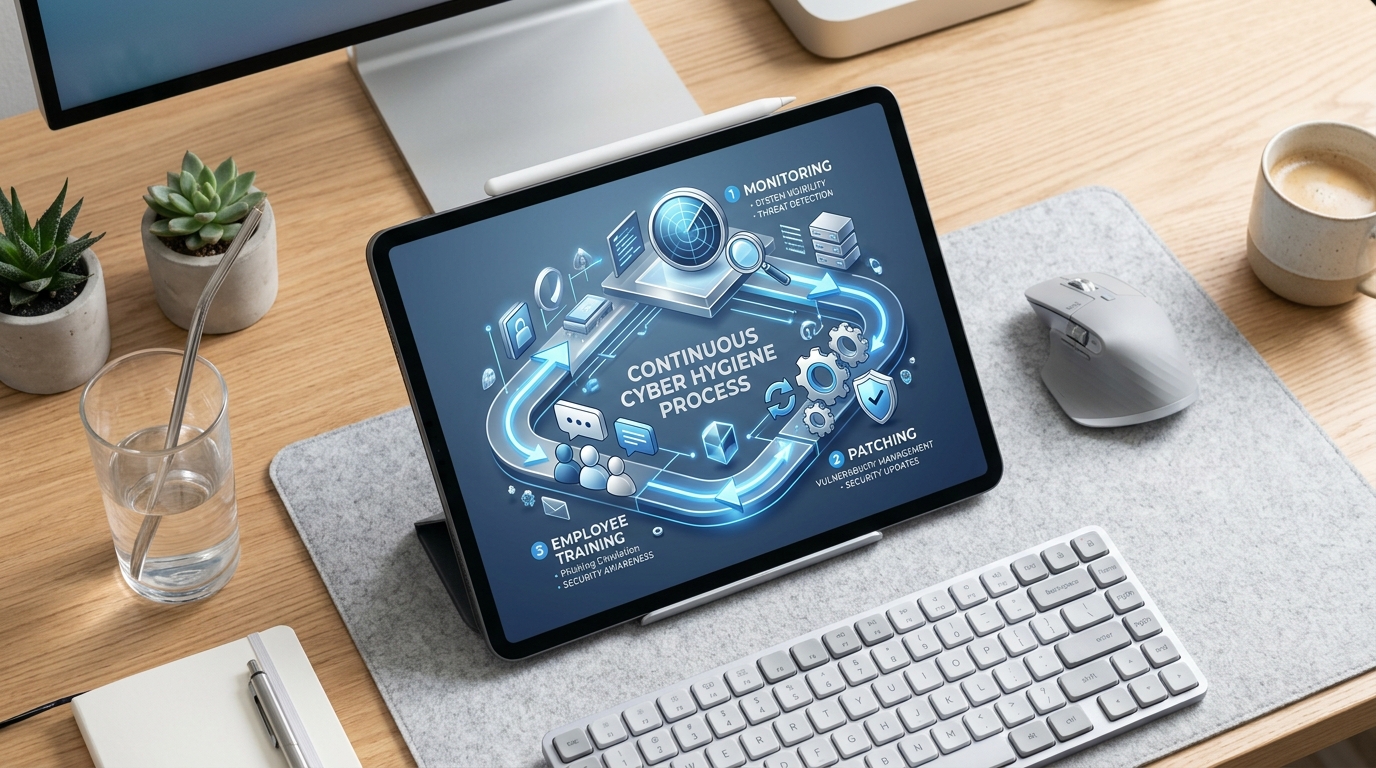
Security is not a one-off project that you can simply tick off after setup. Cyber hygiene works much like personal hygiene: only through daily, routine habits do you protect your company against threats in the long term[4]. If, as a managing director or IT lead, you want to permanently establish the basic security measures in your mid-sized business, you have to embed them firmly into everyday operational processes. Only when patches, backups and password policies become the standard does a resilient defensive posture against automated attacks emerge.
Automated monitoring and managed IT in focus
In small and medium-sized companies, there is often a lack of time to manually check every software update and every security alert. This is where modern services show their impact. With a structured managed IT concept, you hand over time-intensive tasks like endpoint management, proactive patching and IT documentation to automated systems. This ensures that no security gap stays unclosed, while your team can focus on the core business.
- Regular updates: automatic distribution of security patches for all operating systems and applications to close known vulnerabilities immediately.
- Monitoring of backup processes: daily automated backups that are stored in a physically separate location and checked at regular intervals for their recoverability.
- Ongoing training: short, practical security awareness sessions that continuously sharpen your workforce's security awareness.
Internal relief and continuous oversight
Effective protection also requires continuous monitoring around the clock. An internal IT employee cannot guarantee 24-hour coverage. External experts who provide a professional cybersecurity service noticeably relieve your internal teams. Through proactive SOC and SIEM monitoring, suspicious activities are detected and fended off immediately, before they can cause damage. This external support also helps you regularly check compliance with your security policies and, with the integrated compliance modules, verifiably meet the requirements of current standards such as NIS2.
Frequently asked questions
What exactly does cyber hygiene mean?
Cyber hygiene refers to a set of basic, regular practices and behaviors that maintain the security of devices, data and networks in a company. Much like personal hygiene in everyday life, it protects preventively against infections, in this case against digital malware and hacker attacks.
Which threats can be stopped with cyber hygiene?
With solid basic hygiene, around 98% of all automated attacks can be prevented. This includes broadly scattered phishing campaigns, automated malware infections, drive-by exploits through unpatched software and brute-force attacks on weak passwords.
Why is multi-factor authentication (MFA) so important?
MFA protects accounts even when access credentials have been stolen through phishing or data leaks. Because a second, dynamic factor is needed for login, attackers can usually do nothing with the password data alone. MFA is considered the most effective single measure in identity protection.
What does the least-privilege principle state?
This principle states that employees and applications should only receive exactly the access rights they absolutely need for their immediate work. This prevents ransomware from spreading unhindered across the entire company network in the event of an attack.
How often should updates be carried out in a mid-sized company?
Updates for operating systems and critical applications should ideally be installed fully automatically and within a few days of release. Given an average of 119 new security gaps per day, fast patching is essential.
Can cyber hygiene completely replace expensive security tools?
Cyber hygiene forms the irreplaceable foundation. Expensive specialized tools are useless if systems are unpatched or employees have no security awareness. Only once the basic hygiene rules are anchored do sophisticated tools like EDR systems or SOC monitoring make sense.